Compass Frame Layout — Multi-Scene Mockup

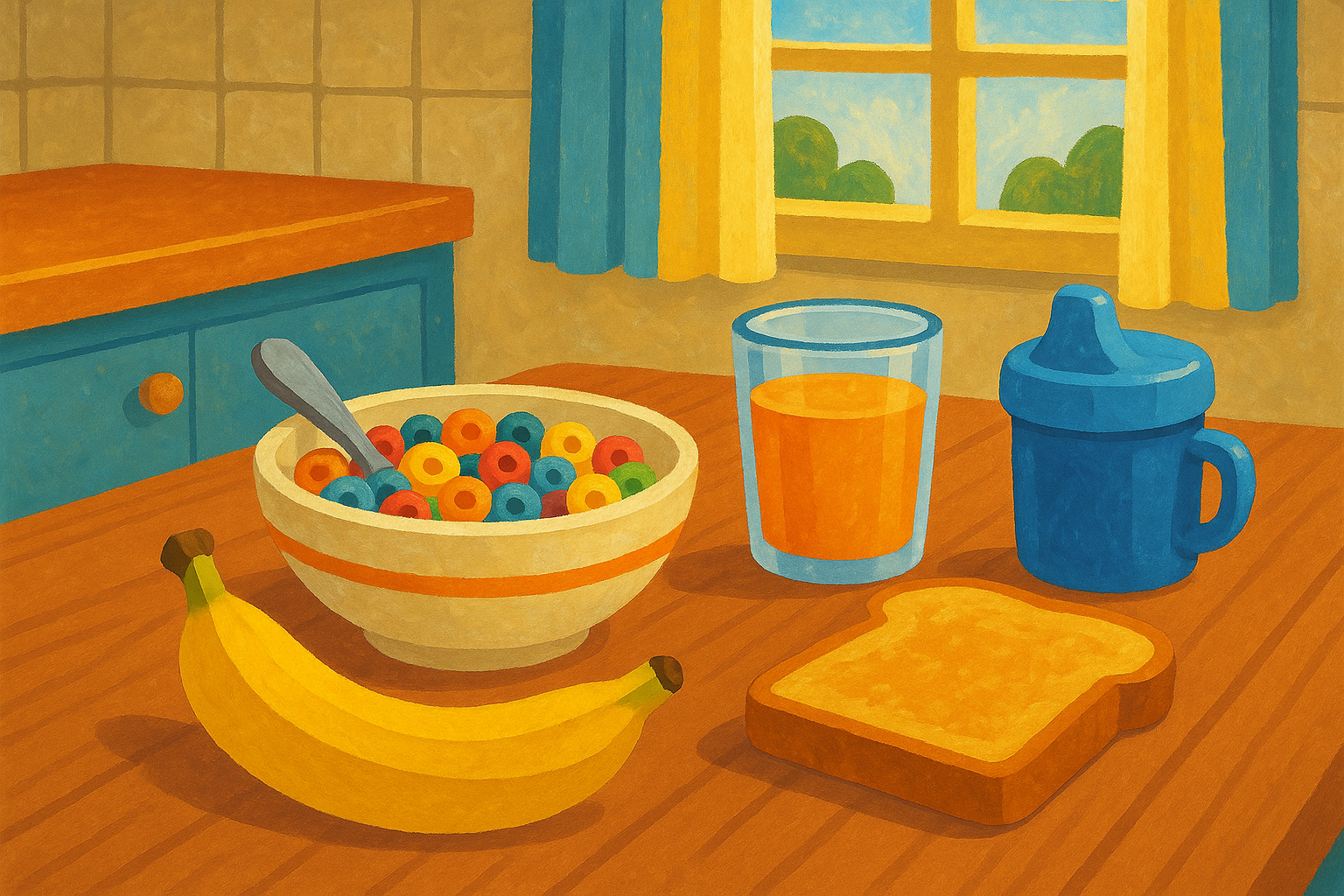
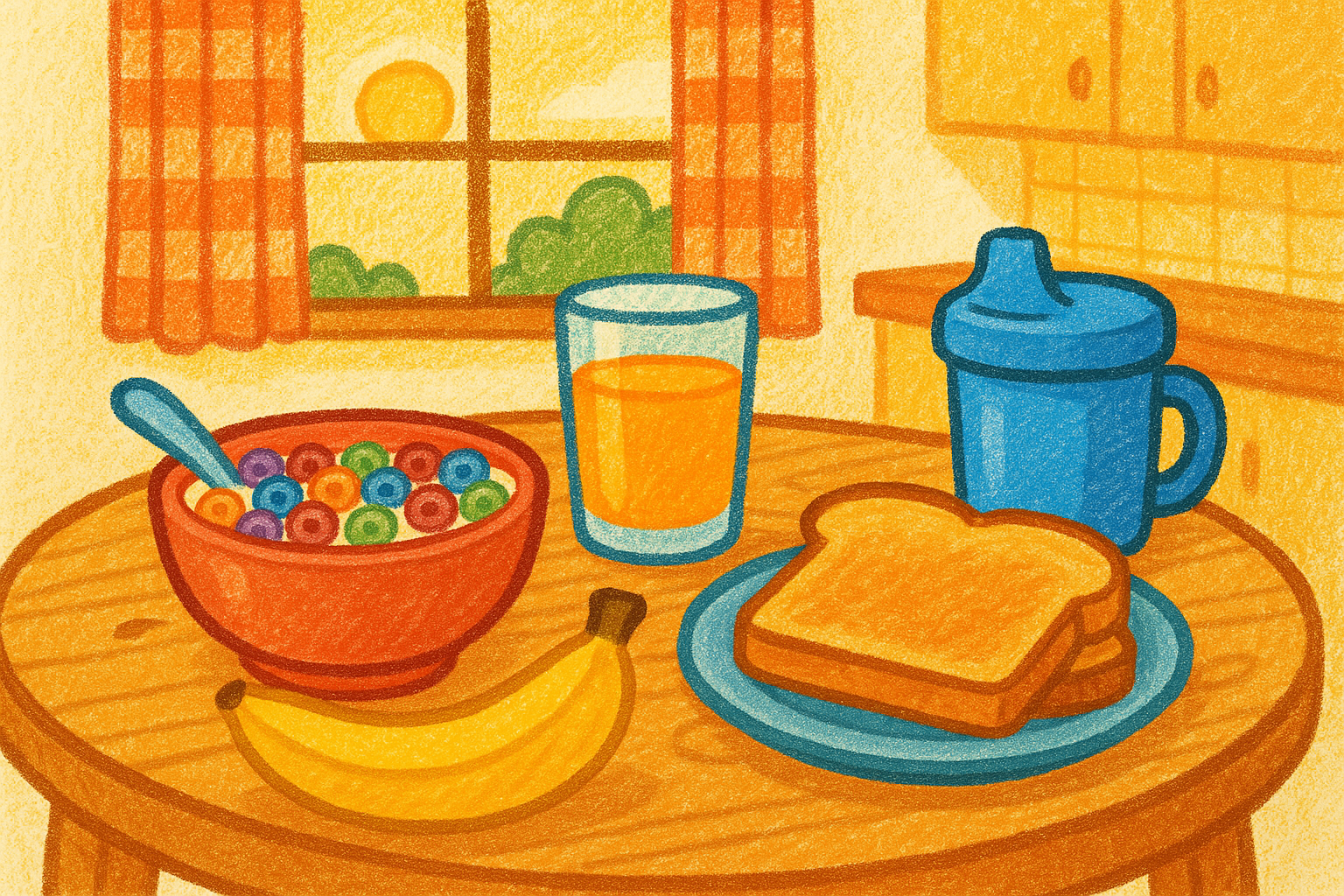
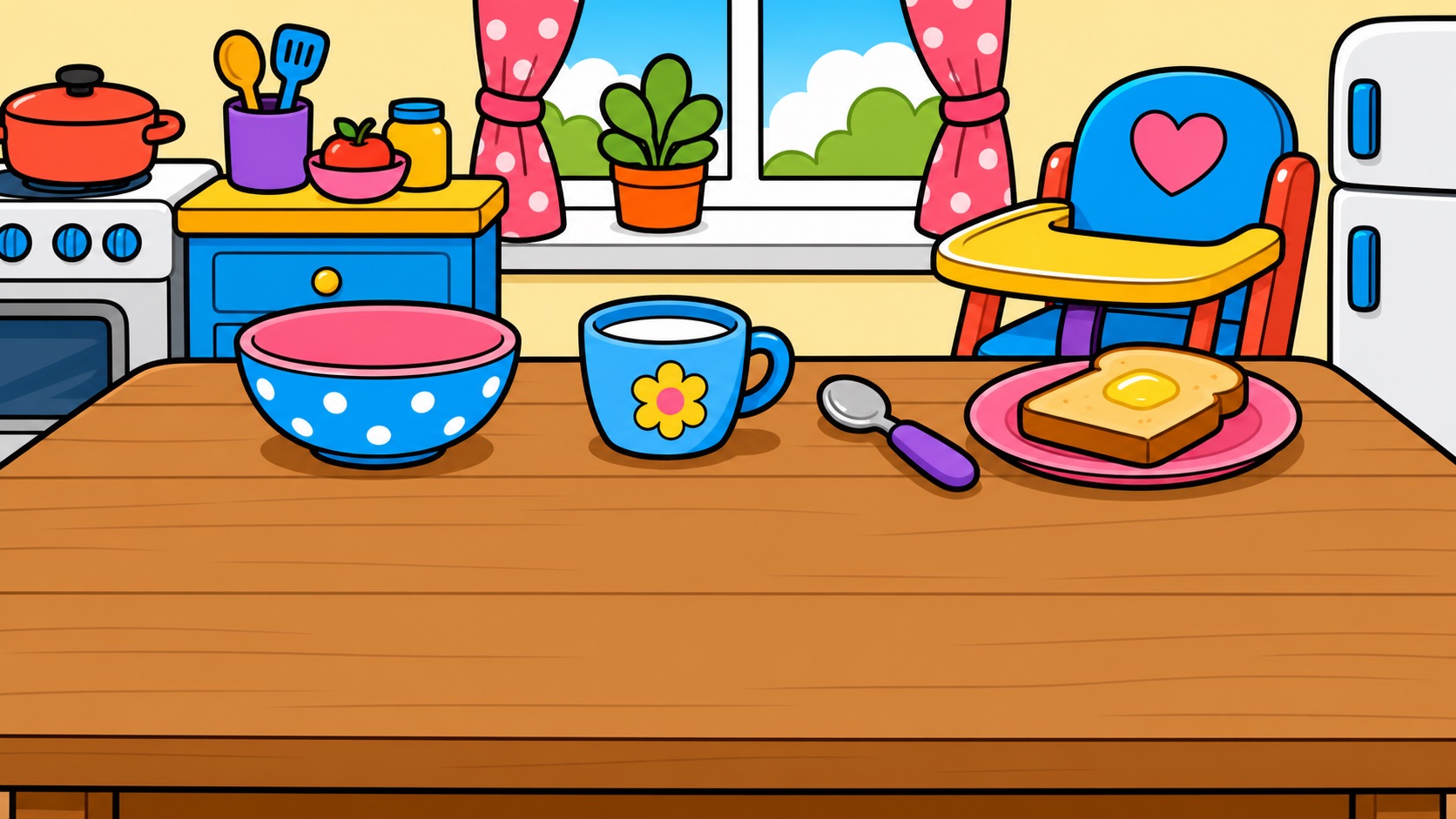
Three tiers, two views per tier. Left = grid view (Fitzgerald Key colored noun grid). Right = scene view (AI-illustrated scene with tappable word hotspots). Same breakfast scene shown in three art styles to demonstrate tier progression and visual direction.

Mockup tiles at display scale. Actual iPad app tiles are 60pt minimum — see Screen & Device Capacity below for real hardware math. Bathroom and playtime scene illustrations pending generation.

Tier 1 First Words 12-18mo · MLU ~1.0 · 16 core words + 7 routines · single tap = speak
Scene: Kitchen / Breakfast Soft Crayon
Grid View
🔲Grid
🌍World
👤Me
🐻Guide
🤟
👐more
😋yummy
🔥hot
🍽️eating
🛁bath
👕dress
🌙bed
🧸play
🌳outside
🚗car
👤I
👆you
👩mom
👨dad
🤲want
🚶go
🍴eat
🥤drink
🆘help
🛑stop
yes
🚫no
all done
🍽️ Breakfast
🥣cereal
🥛milk
🥞pancakes
🥖toast
🥚eggs
🫙yogurt
🍌banana
🍓strawberries
🍹juice
🧁muffin
🥘bowl
🏆cup
🥄spoon
🍽️plate
🍼sippy cup
Scene View — Soft Crayon
🔲Grid
🌍World
👤Me
🐻Guide
🤟
👐more
😋yummy
🔥hot
🍽️eating
🛁bath
👕dress
🌙bed
🧸play
🌳outside
🚗car
👤I
👆you
👩mom
👨dad
🤲want
🚶go
🍴eat
🥤drink
🆘help
🛑stop
yes
🚫no
all done
Breakfast — Soft Crayon
🥣cereal
🍹juice
🍼sippy cup
🍞toast
🍌banana
🥄spoon
Descriptors
Verbs
Social
People
Routines / Nouns
Category tile
Breakfast Moments — What happens when a child uses this tier Click to expand

Marcus is 14 months old. He has no spoken words yet. His SLP has set Meadow to Tier 1. Here's what breakfast looks like.

Marcus taps the milk

He might not know it means "milk." He might just be touching something interesting. That's the point.
1Marcus taps the milk hotspot in the scene. The 60pt touch target catches his imprecise tap.
2"Milk!" — triple modality fires simultaneously:
👁️ milk hotspot pulses golden 👂 child's voice speaks "milk" 🤟 ASL sign in signing bubble
3That's it. One word. Done. No follow-up suggestions. No sentence building. His parent hears "milk" and says "You want milk? Here's your milk!" The fundamental insight lands: touching makes words happen.

At this stage, multi-step sequences add cognitive load without benefit. The goal is cause-and-effect. Drager et al. (2003): children under 24 months succeed with scene displays but fail with symbolic grids.

The companion offers to play

Marcus's parent taps the companion (bottom-right) to start a guided learning moment.
1Parent taps the companion. Scene dims to 45% opacity. Engagement mode begins.
2The banana glows with a golden ring. The companion speaks "Banana!" in parentese. ASL sign appears.
3"Your turn!" — 7 seconds of silence. The companion waits. The SLP uses this pause to model: pointing, signing, or saying the word.
4Marcus taps the banana → big celebration! Burst animation, "You said banana!" Progress dot sparkles. 3 words per cycle, then the companion wraps up: "Great talking!"

Expectant pausing is a core prelinguistic technique (Yoder & Warren, 1998). 7 seconds (vs. 5 at higher tiers) because motor planning takes longer at this stage. If no tap, the companion gently repeats and advances — no child is ever stuck.

Marcus feels something

It's not always about food.
1Marcus taps his avatar (bottom-left). Feelings tray opens — 13 emotions with clear face emoji.
2Marcus taps "sad" 😢
3"Sad." The word speaks. The signing bubble shows SAD. That's it. No "Why are you sad?" No conversation loop. The parent hears it and responds naturally.

Emotional expression must be low-friction. When a child is upset, multi-step interaction is the last thing they need. The device says it, the caregiver hears it, the child is acknowledged.

Tier 2 Word Combinations 18-24mo · MLU 1.0-2.0 · 36 words + 2 categories · speech bubble active
Scene: Kitchen / Breakfast Bright & Bubbly
Grid View
🔲Grid
🌍World
👤Me
🐻Guide
🤟
🤲want
🥛milk
👐more
😋yummy
🐘big
🤏little
👍good
👎bad
🔥hot
🥶cold
🚫not
🎨COLORS
➡️to
🤝with
🎁for
and
now
🍽️eating
🛁bath
👕dress
🌙bed
🧸play
🌳outside
🚗car
🛒store
👤I
👆you
🫵me
my
👩mom
👨dad
👦he
👧she
🫱have
🫴need
👀look
🙏MANNERS
🤲want
🚶go
🍴eat
🥤drink
🆘help
🛑stop
🎮play
👍like
yes
🚫no
all done
🍽️ Breakfast
🥣cereal
🥛milk
🥞pancakes
🥖toast
🥚eggs
🫙yogurt
🍌banana
🍓strawberries
🍹juice
🧁muffin
🥘bowl
🏆cup
🥄spoon
🍽️plate
🍼sippy cup
Scene View — Bright & Bubbly
🔲Grid
🌍World
👤Me
🐻Guide
🤟
🤲want
🥛milk
👐more
😋yummy
🐘big
🤏little
👍good
👎bad
🔥hot
🥶cold
🚫not
🎨COLORS
➡️to
🤝with
🎁for
and
now
🍽️eating
🛁bath
👕dress
🌙bed
🧸play
🌳outside
🚗car
🛒store
👤I
👆you
🫵me
my
👩mom
👨dad
👦he
👧she
🫱have
🫴need
👀look
🙏MANNERS
🤲want
🚶go
🍴eat
🥤drink
🆘help
🛑stop
🎮play
👍like
yes
🚫no
all done
Breakfast — Bright & Bubbly
🥣bowl
🍼cup
🍞toast
🥄spoon
🪑high chair
🍳stove
🍽️plate
Breakfast Moments — What happens when a child uses this tier Click to expand

Amara is 20 months old. She understands that pictures mean things and can reliably tap a target. Her SLP has moved her to Tier 2. The speech bubble is now active.

Amara wants pancakes

This is where word combinations emerge — the child's first multi-word utterances.
1Amara taps "pancakes" in the scene. She knows what she wants.
2"Pancakes!" — the word speaks immediately. Then the speech bubble appears with two-word combinations:
🫳 want pancakes 👍 more pancakes 😋 yummy pancakes
3Amara taps "want pancakes" — she recognizes "want" from the bottom edge.
4"Want pancakes!" — both words speak together as a phrase. Her parent hears a two-word request. This is the QuickChat loop at its simplest: speak a word, see follow-up options, choose one.

The speech bubble is an offer, not a gate. "Pancakes" already spoke on the first tap. The combination is available for children ready to take that step — mirroring how caregivers naturally expand a child's utterance: child says "milk," parent says "want milk?"

Amara wants a drink

After pancakes, the conversation continues naturally.
1Amara taps "drink" from the bottom edge. She knows it's always there — motor memory.
2"Drink!" — speech bubble shows scene-specific options:
🥛 drink milk 🧃 drink juice 🧊 cold drink
3Amara taps "drink juice." The phrase speaks. Her parent pours juice. Suggestions are scene-aware — in the kitchen, "drink" suggests milk and juice. In the bathroom, it might suggest "drink water."

Contextual suggestions reduce cognitive load — the child doesn't search through irrelevant options. Real conversations are situated in physical context (Beukelman & Light, 2020).

Tier 3 Sentences 24-48mo · MLU 2.0-3.0+ · 49 words + 8 categories · speech bubble + SCS
Scene: Kitchen / Breakfast Gouache
Grid View
🔲Grid
🌍World
👤Me
🐻Guide
🤟
👤I
🤲want
👐more
🥞pancakes
👐more
😋yummy
🐘big
🤏little
👍good
👎bad
🔥hot
🥶cold
🤢yucky
🚫not
🎨COLORS
📍PLACES
➡️to
🤝with
🎁for
and
now
all
🤏some
🔀different
🟰same
is
📎of
👉there
⬇️down
🍽️eating
🛁bath
👕dress
🌙bed
🧸play
🌳outside
🚗car
🛒store
👤I
👆you
🫵me
my
👫we
👥they
👆it
👨‍👩‍👧‍👦FAMILY
EXTEND
🫱have
🫴need
👀look
🙏MANNERS
🫳get
👊do
👁️see
💪can
QUEST
MORE
📝LITTLE
🤲want
🚶go
🍴eat
🥤drink
🆘help
🛑stop
🎮play
👍like
yes
🚫no
all done
👩mom
👨dad
👦brother
👧sister
👵grandma
👴grandpa
👩‍🏫teacher
🧑friend
👶baby
1 tap → 9 people
🍽️ Breakfast
🥣cereal
🥛milk
🥞pancakes
🥖toast
🥚eggs
🫙yogurt
🍌banana
🍓strawberries
🍹juice
🧁muffin
🥘bowl
🏆cup
🥄spoon
🍽️plate
🍼sippy cup
Scene View — Gouache
🔲Grid
🌍World
👤Me
🐻Guide
🤟
👤I
🤲want
👐more
🥞pancakes
👐more
😋yummy
🐘big
🤏little
👍good
👎bad
🔥hot
🥶cold
🤢yucky
🚫not
🎨COLORS
📍PLACES
➡️to
🤝with
🎁for
and
now
all
🤏some
🔀different
🟰same
is
📎of
👉there
⬇️down
🍽️eating
🛁bath
👕dress
🌙bed
🧸play
🌳outside
🚗car
🛒store
👤I
👆you
🫵me
my
👫we
👥they
👆it
👨‍👩‍👧‍👦FAMILY
EXTEND
🫱have
🫴need
👀look
🙏MANNERS
🫳get
👊do
👁️see
💪can
QUEST
MORE
📝LITTLE
🤲want
🚶go
🍴eat
🥤drink
🆘help
🛑stop
🎮play
👍like
yes
🚫no
all done
Breakfast — Gouache
🥣cereal
🍹juice
🍼sippy cup
🍞toast
🍌banana
🥄spoon
Breakfast Moments — What happens when a child uses this tier Click to expand

Zoe is 3 years old. She uses dozens of words reliably and has started combining them on her own. Her SLP has moved her to Tier 3. The sentence engine is active.

Zoe builds a sentence

She doesn't just want milk. She wants cold milk, and she wants to say please.
1Zoe taps "want" from the bottom edge. The sentence engine predicts what comes next based on grammar rules.
2Speech bubble shows grammar-aware options — nouns from the kitchen scene, descriptors that pair with "want":
🥛 milk 🥣 cereal 🧊 cold 👍 more
3Zoe taps "cold" from the top edge, then "milk" from the scene. The speech bubble shows: want → cold → milk.
4Zoe adds "please" from the bottom edge. Taps the speak button.
5"Want cold milk please." — four words, natural prosody. Her mother says "Cold milk with please? Coming right up."

This is generative language — Zoe assembled a novel sentence that no one programmed. The sentence engine helped by offering predictions, but Zoe chose her own path.

At Tier 3, the engine shifts from templates to grammar-aware predictions. It understands word order (verb → adjective → noun) and suggests accordingly. The child constructs novel utterances with scaffolding — the hallmark of the 24-48 month language explosion (Bates & Goodman, 1997).

Zoe tells Mama

Communication isn't just requesting. It's directing.
1Zoe taps "mama" from the right edge, then "help" from the bottom.
2Sentence engine predicts extensions:
👆 open 🧃 juice 🙏 please
3Zoe taps "open" then "juice."
4"Mama help open juice." — four words, directed at a specific person, about a specific action and object. Sophisticated pragmatic language.

Person + action + object combinations (agent-action-object) are a key milestone at MLU 2.5+, emerging 24-36 months. The sentence engine scaffolds word order so the child can focus on meaning, not grammar.
Hardware Screen & Device Capacity

How words and scenes share the iPad screen as vocabulary grows. Each diagram below shows the proportion of screen used for word tiles (teal edges) versus the illustrated scene (gold center).

mini iPad mini · all tiers · configurable grid
14 14 7 10
Scene 66% of screen
45 positions at 60pt · all tiers
23 filled · 22 surplus
iPad mini supports all tiers. Configurable grid sizing (like Proloquo's row/column settings) lets parents and SLPs adjust tile density to match the child's needs. Smaller tiles for T3 vocabulary, larger tiles for T1 motor skills — same device, same scenes.
As children grow, the screen adapts: Tier 1 is intentionally sparse with bigger buttons and the largest scene area (64%). When the second row of tiles appears at Tier 2, the scene drops to 55% — still larger than an entire iPhone screen. By Tier 3, categories multiply reach — a single FAMILY tile gives access to 9 people in one tap. Both iPad 11 and iPad mini support all tiers with configurable grid sizing. The scene — where contextual awareness lives — never gets cramped.
Full engineering math Edge-by-edge capacity tables and layout calculations
iPad 11th gen
2360 × 1640px → 1180 × 820pt (2× Retina)
T1 · 72pt · 1 rowT2 · 60pt · 2 rowsT3 · 60pt · 2 rows
Top edge123030
Bottom edge133030
Left edge799
Right edge91111
Total available418080
Assigned233856
Empty18 (44%)42 (53%)24 (30%)
Scene986 × 632pt (64%)1010 × 524pt (55%)1010 × 524pt (55%)
iPad mini (7th gen)
2266 × 1488px → 1133 × 744pt (2× Retina)
T1 · 60pt · 1 row
Top edge14
Bottom edge14
Left edge7
Right edge10
Total available45
Assigned23
Empty22 (49%)
Scene963 × 580pt (66%)

Edge padding 8pt, tile gap 6pt, corner anchors 66pt. T1 on iPad 11 uses 72pt tiles in 1 row. T2/T3 use 60pt tiles in 2 rows on top/bottom. Left and right edges are always single columns.

Design Notes