Meadow
An innovative communication app for young children, built on clinical research, designed for real families, engineered for the newest technology.

Innovation has to work.

Innovation in AAC has to clear a real bar — and that's what makes it worth doing. A viable app needs 2,000+ accessible words. It needs to work offline. It needs to survive the first week — the window where 60% of AAC devices get abandoned. An SLP has to be able to defend it clinically, and a child has to reach for it twice. Every idea in this proposal was held against that bar, and the ones that made it through are stronger for it.
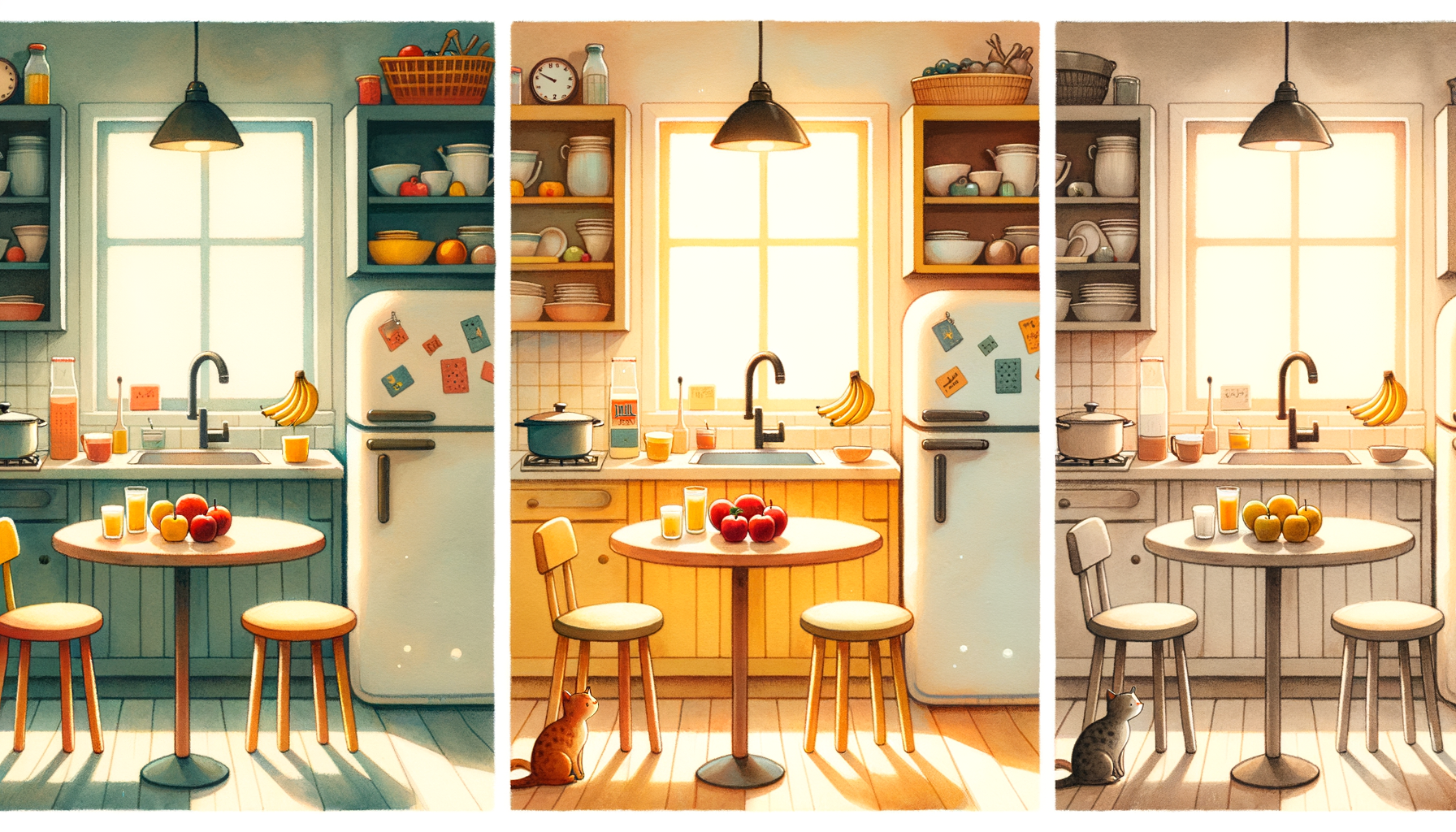
A child doesn't learn language from a grid of symbols organized by clinical category. They learn by exploring the world around them — opening the fridge, playing at the park, sitting at the dinner table. So instead of presenting a tool, we're opening up a world they can discover. A kitchen where the fridge has fridge words and the stove has stove words. Every environment, every object, every word exists inside a world the child already understands. The conversation engine, cognitive tiers, and every feature in this proposal sits on top of that world. The foundation is real, the world is coherent, and the child can actually use it.
One app. Three experiences.
The same world adapts to who the child is — not what they've proven.
See It In Action
The interactive prototype demonstrates the full experience — scenes, tiers, conversations, celebrations.
Open Interactive Mockup →14 innovations. And counting.

Three power the core app. Five are planned features. Four are research concepts. Each one building on the foundation.
Mirrors the natural "serve and return" rhythm of conversation. Child speaks, world responds, child speaks again. Three choices per turn reduces cognitive load while maintaining agency. Each option set spans commenting, requesting, and social functions — children learn all the reasons we communicate, not just "I want."
| Tier | Experience |
|---|---|
| First Words | Tap an object, hear the word. No follow-ups — immediate speech output. The foundation of cause-and-effect communication. |
| Putting Words Together | Tap an object, see 4 two-word combinations. Choose one, hear it spoken, return to the scene. Building blocks without the conversational loop. |
| Having Conversations | Full SCS loop. Tap an object, get sentence-level options, choose one, get 3 follow-ups, choose again. Multi-turn dialogue with real pragmatic range. |
Most AAC apps are glorified "I want" buttons. Real communication includes requesting, protesting, commenting, greeting, answering, humor, calling attention, and expressing feelings. Meadow supports all 8 pragmatic functions because a child who can only say "I want cookie" but not "I love you mom" has been failed by their tool.
"Silly yogurt" isn't filler — it's social connection. Kids who joke are kids who communicate. Every word in the app comes with emotional context, not just dictionary definition.
| Tier | Experience |
|---|---|
| First Words | 3 core emotions always visible (happy, sad, mad). Tap to express immediately. Avatar mirrors the feeling. Color wash reinforces the association. |
| Putting Words Together | 5 emotions. "Feel happy" / "feel mad" word pairs. Emotions begin combining with context: "mad about milk." |
| Having Conversations | Full emotional vocabulary integrated into the SCS loop. "I feel frustrated because I wanted the red one" — nuanced emotional expression as conversation. |
When a child taps a verb, it pulses forward with percussive energy. A noun bounces gently — solid, grounded. A descriptor glows gradually — it modifies, enhances, adds richness. Each word type has its own visual motion, color signature (Fitzgerald Key), and sound character. Grammar isn't taught — it's experienced through multiple sensory channels simultaneously.
| Tier | Experience |
|---|---|
| First Words | Single words carry their color and motion signature. "Want" (green, forward pulse) feels different from "milk" (orange, gentle bounce). Grammar patterns absorb passively. |
| Putting Words Together | Two-word pairs animate in sequence. "Want milk" shows green-pulse then orange-bounce. The child sees and feels word order before they understand it. |
| Having Conversations | Full sentences animate word by word. "I want the cold milk please" is a choreographed sequence of color, motion, and sound — a sentence the child can feel. |
Children learn language primarily from other children. Peer interaction drives vocabulary growth, social cognition, and pragmatic language skills faster than adult-directed therapy alone. A child who can only "talk to" an app is practicing dictation. A child who can talk WITH another child is practicing communication.
Works with any partner: peer, sibling, parent, therapist. Turns pass automatically after each tap. Conversation history stays visible. The SCS loop powers each turn.
| Tier | Experience |
|---|---|
| First Words | Each turn is a single word. Child A taps "ball." Child B sees "ball" and taps "more" or "my turn." Simple exchanges that teach back-and-forth. |
| Putting Words Together | Each turn offers 2-word combinations. "Want ball" → "my ball" → "throw ball." Word pairs become negotiation. |
| Having Conversations | Full SCS loop on each side. Multi-turn conversations with sentence-level options. Real dialogue. |
"Communication temptation" is one of the most effective techniques in pediatric speech therapy. The therapist creates a situation where the child is motivated to communicate — they can SEE what they want but can't GET it without asking. No AAC app has ever implemented this. In therapy, it's done with physical objects. Meadow brings it digital.
| Tier | Experience |
|---|---|
| First Words | Single word unlocks. Cookie jar locked → child taps "open" → jar opens with celebration. One word = one result. |
| Putting Words Together | Word pair required. "Want cookie" or "open please" → jar opens. More words = more power. |
| Having Conversations | Full request with follow-up. "Can I have a cookie?" → jar opens partially → "Please?" → full open. Politeness and persistence as real skills. |
Harvard's Center on the Developing Child identifies "serve and return" as the single most important factor in early language development. 60%+ of AAC devices are abandoned in the first year — caregiver confusion is the top reason. The app can't just help the child communicate. It has to help the adult receive and respond.
Coaching fades over time as the adult builds confidence. The app tracks repeated interactions and reduces prompting. Training wheels, not a crutch.
| Tier | Coaching Focus |
|---|---|
| First Words | "They said 'juice.' Now point to the juice and say 'juice!' back to them." Simple mirroring. Teach the adult to acknowledge and repeat. |
| Putting Words Together | "They said 'want juice.' Try saying 'You want juice? Here's your juice!' and tap along." Expansion prompts — model the next level. |
| Having Conversations | "They asked 'Can I have juice please?' — great sentence! Answer naturally, then ask a follow-up." The adult becomes a real partner. |
AAC apps overwhelmingly optimize for requesting ("I want ___"). But real language includes narration, recounting, imagining, and sequencing. A child who can tell you what happened at school today is demonstrating a fundamentally different skill than one who can say "I want crackers." Stories can be saved and replayed: "Tell Daddy what happened today."
| Tier | Experience |
|---|---|
| First Words | 2-card sequences. Tap two pictures, hear them connected: "Ball... splash!" Cause and effect at its simplest. |
| Putting Words Together | 3-card sequences with word pairs. "Want ball → throw ball → ball splash!" Simple narratives with emerging grammar. |
| Having Conversations | 4-5 card sequences with full sentences. "I went to the playground. I played on the swings. Then Emma came. We played together!" |
Uses Apple Vision framework for on-device facial expression analysis. Gentle "feeling auras" overlay the child's face — warm gold for happy, soft blue for sad. A "Feeling Creature" character mirrors the detected emotion. The child learns to connect internal state, facial expression, and vocabulary. All processing runs locally — no camera data ever leaves the device.
| Tier | Experience |
|---|---|
| First Words | See face → see matching emoji. Simple emotion mirroring. "You look happy!" |
| Putting Words Together | "I feel ___" word pair prompts based on detected expression. |
| Having Conversations | "I feel ___ because ___" — contextual emotion expression with reasoning. |
Uses Apple's Sound Classification API (300+ built-in sounds, fully on-device). When the app recognizes a sound, it surfaces relevant communication symbols and phrases. The child doesn't have to navigate to the right vocabulary page — the world brings the words to them.
| Tier | Experience |
|---|---|
| First Words | Sound detected → single word card. Dog barks → "dog!" appears. |
| Putting Words Together | Sound → word pair options. Dog barks → "loud dog" / "funny dog" / "scared dog." |
| Having Conversations | Sound triggers conversation starters. Dog barks → "That dog is so loud!" / "Is that your dog?" / "I'm scared of dogs." |
Four color-coded drums, each representing a core communicative intent: "I want" (two quick taps), "I feel" (one long press), "Look!" (three taps), "More" (tap-pause-tap). After the base rhythm, vocabulary icons appear. The rhythm scaffolding fades over time as symbol-based communication emerges. Bridge Mode shows the progression from pure rhythm to full symbol boards.
| Tier | Experience |
|---|---|
| First Words | Pure rhythm. Tap a pattern, hear the corresponding word. Music IS the communication. |
| Putting Words Together | Rhythm pattern + vocabulary icon = phrase. "I want" rhythm + food icon = "I want to eat." |
| Having Conversations | Musical sentence construction. Rhythms become a quick intro before full sentence options appear. |
Reads heart rate and movement from an Apple Watch. When it detects physiological changes — elevated heart rate, sudden stillness, rapid movement — it gently intervenes with calming visuals and offers emotion vocabulary. A "Body Buddy" character mirrors the child's state. Includes a breathing exercise coach that helps the child regulate, then communicate about the experience.
| Tier | Experience |
|---|---|
| First Words | Body Buddy changes color. Green = calm, orange = fast. Simple body awareness without words. |
| Putting Words Together | "Feel scared" / "feel mad" word pairs suggested based on physiological pattern. |
| Having Conversations | "I feel scared because my heart is going fast. I need a hug." Full emotional expression with body context. |
Every AAC app uses illustrated symbols to represent the world. But the world is already right there. AR Explorer uses Apple's on-device Vision framework to identify real objects through the iPad camera and overlay tappable vocabulary labels. No internet required. No abstraction — the real object IS the vocabulary item.
This is especially powerful for children who struggle with symbolic representation — the cognitive leap from "this drawing means that real thing" is one of the hardest parts of AAC. AR Explorer removes that leap entirely. Any room, any park, any car becomes a communication board.
| Tier | Experience |
|---|---|
| First Words | Point at object, tap, hear the word. "Cup." "Dog." "Shoe." Real-world labeling at its simplest. |
| Putting Words Together | Tap an object, get 2-word options based on what's visible. See a cup → "want cup" / "my cup" / "big cup." |
| Having Conversations | Tap an object to start contextual dialogue. See a dog → "Can I pet the dog?" / "The dog is big!" / "I'm scared of the dog." |
A shape drifts toward a matching cutout in a wall. The child says the target word, and Apple's on-device Speech framework evaluates the attempt. If it's close enough, the shape glides through with a celebration. Difficulty adapts progressively — early tries accept any approximation, the bar rises as the child grows.
This is the first feature in QuickChat that coaches the child's own voice instead of substituting for it. It's available only at the Having Conversations tier, and only as an optional path for children on a verbal trajectory. Some kids will always communicate through AAC, and that's perfectly fine. ShapeSpeak meets the others where they are — without forcing anyone onto a path that isn't theirs.
Bedtime stories are one of the richest language environments a child has — and most AAC apps sit silent on the nightstand during them. Reverse Storytime turns the iPad into a quiet partner. As the parent reads, Apple's on-device Speech framework recognizes each word and surfaces the matching symbol on screen, in time with the parent's voice. The child follows along with their eyes the same way a reader would follow text — but in pictures.
It works with any book, no preparation, no special edition required. Nothing leaves the device. The parent doesn't change what they're doing. The child gets a pictorial layer over an experience that already happens every night — and the words they hear become words they recognize in the app the next day.
Four phases. One vision.
The application is the starting point, not the destination. It is designed from day one as the foundation for an innovation ecosystem in early-childhood AAC — an architecture flexible enough to host new interaction models, new content, new research, and new clinical practice as the field evolves. The opportunity is not to build a better AAC app. It is to build the platform that lets AAC stop standing still.
Phased delivery with milestone-based payment. Pay for proof, then scale.

Milestones
12 research documents. Every decision has a citation.
We did the homework before we wrote a single line of code.

7 design principles · 7 operating principles · 5 child personas · Each traced to clinical research
View Design Principles →